
TAX ADVOCATE GROUP RESOURCE
What does my CP59 IRS notice mean?
The IRS does not have a personal federal income tax return for the year listed. Check your filing records before deciding whether to file or reply.
01 · READ YOUR NOTICE
Read the notice
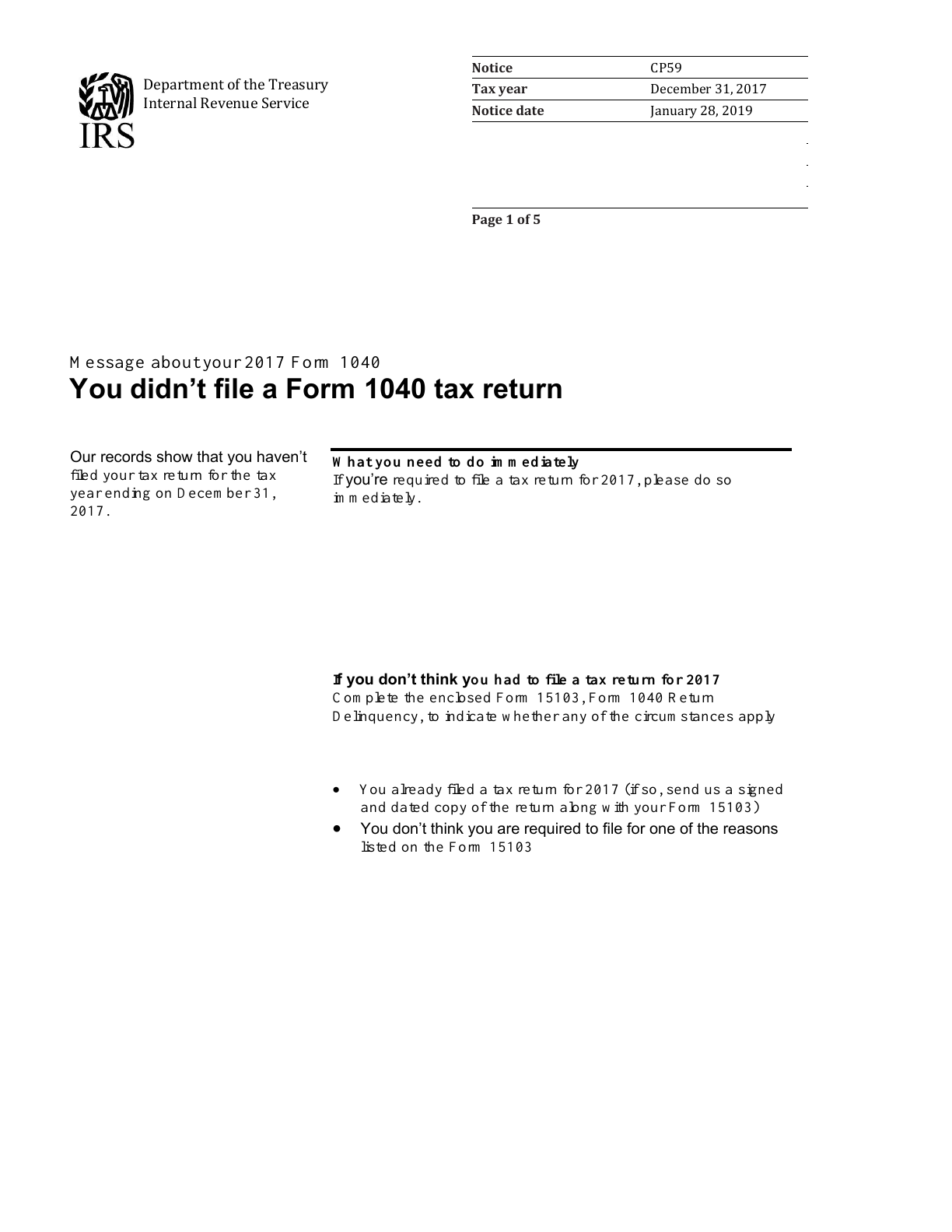
Official IRS guidance for CP59 · 2019-01-28 IRS notice, page 1. Use the dates and instructions on your own notice.
02 · NEXT STEPS
How to respond
Check the tax year and filing date
Find the tax year on your notice. If you filed that return within the last eight weeks, the IRS says no action is needed. Keep the filing confirmation and verify an e-filed return was accepted.
If the return is missing
If you were required to file and did not, file the return promptly. If you filed more than eight weeks ago and the IRS still shows no return, check that your details match and follow the notice to send a signed, dated copy.
If you think the notice is wrong
Use Form 15103 if you believe the IRS made a mistake, such as if you were not required to file. Follow the response directions on your own notice and keep a copy of what you send.
Response checklist
Your CP59 notice and the tax year it names.
Your return for that year and e-file acceptance, mailing proof, or other filing records, if available.
If you were not required to file, gather records that explain why and check Form 15103.