
TAX ADVOCATE GROUP RESOURCE
What does my CP2000 IRS notice mean?
The IRS found a mismatch between your tax return and information from an employer, bank or other payer. A CP2000 proposes a change; it is not a bill.
01 · READ YOUR NOTICE
Read the notice
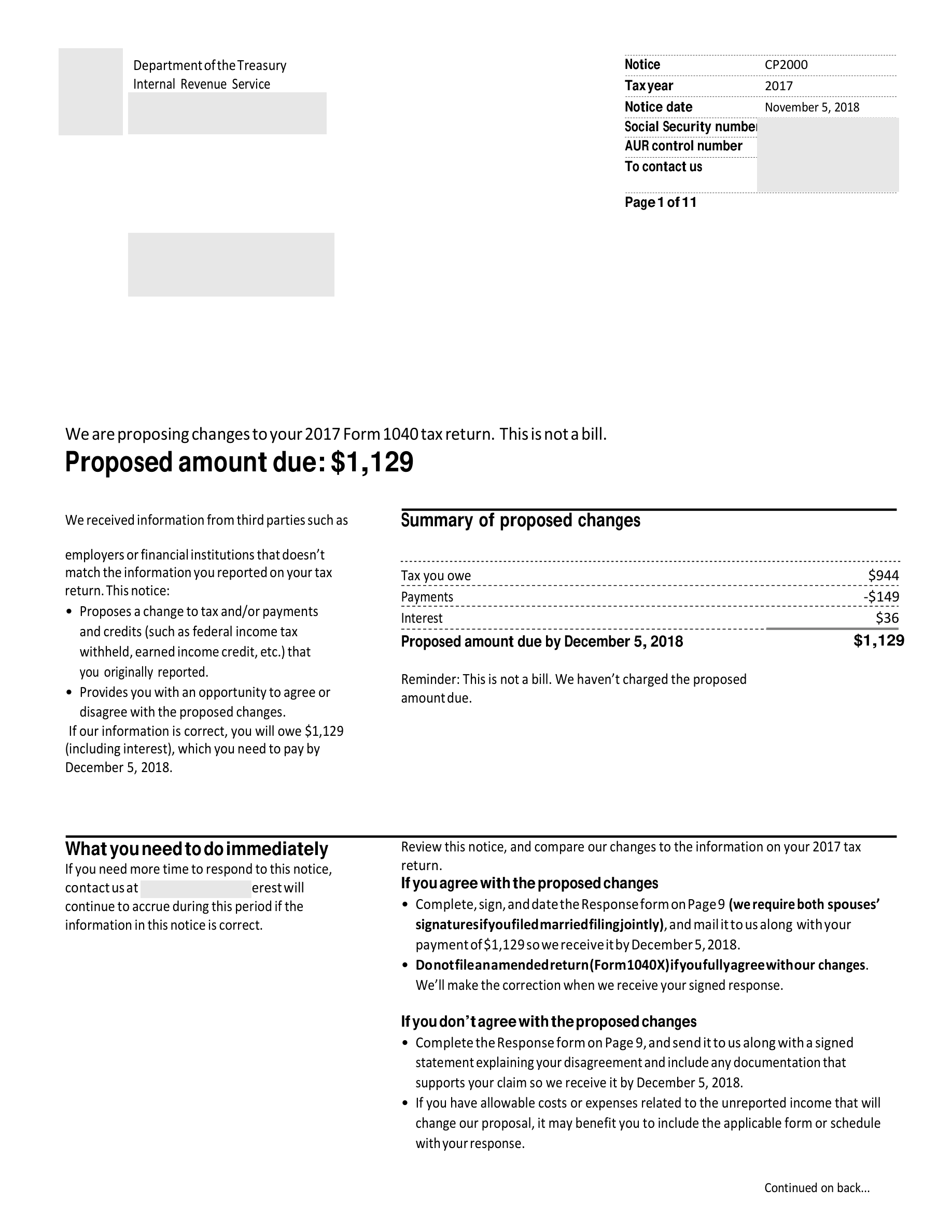
Official IRS guidance for CP2000 · November 2018 IRS notice, page 1. Use the dates and instructions on your own notice.
02 · NEXT STEPS
How to respond
Compare the amounts line by line
Check the notice’s tax year, payers and amounts against your filed return and the relevant W-2s, 1099s or other records. If a payer’s information is wrong, ask for a correction.
Respond by the date on the notice
If a response form is included, sign it and indicate whether you agree. If you disagree, explain each difference and send copies of supporting records through a reply method listed by the IRS. If there is no response form, follow your notice’s instructions.
Don’t amend just to accept the proposal
If you agree and have no other changes, follow the notice rather than filing an amended return. If you have other income, credits or expenses to report, see the IRS instructions for submitting Form 1040-X with your reply.
Response checklist
Save the notice, your filed return, relevant payer forms, and a copy of your reply and delivery confirmation.